Wing loading is your plane’s flying weight divided by its wing area — and it is the most useful single indicator of how the plane will handle — not a precise predictor of stall or flying speed, since airfoil, power and the pilot still matter, but the band it lands in tells you a great deal. Look yours up below and you’ll know what to expect before the first toss.
Last reviewed: August 2026
Wing loading is flying weight in ounces divided by wing area in square feet. Under 5 oz/ft² floats and hates wind; 5–8 is light with easy, slow landings; 8–12 is moderate sport handling; 12–16 lands fast and penetrates wind; above 16 is heavy, fast, and needs long landings.
These are the same bands every tool on this site uses. Lower is floatier and more forgiving; higher is faster and lands hotter.
Find your wing area on the left, your ready-to-fly weight (battery in) across the top — the cell is your wing loading. Numbers are oz/ft²; the tint is the band it falls into.
| Wing area ↓ · Weight → | 8 oz | 12 oz | 16 oz | 20 oz | 24 oz | 32 oz | 40 oz | 48 oz | 64 oz |
|---|---|---|---|---|---|---|---|---|---|
| 150 in² (1.0 ft²) | 7.7 | 12 | 15 | 19 | 23 | — | — | — | — |
| 200 in² (1.4 ft²) | 5.8 | 8.6 | 12 | 14 | 17 | 23 | 29 | — | — |
| 250 in² (1.7 ft²) | 4.6 | 6.9 | 9.2 | 12 | 14 | 18 | 23 | 28 | — |
| 300 in² (2.1 ft²) | 3.8 | 5.8 | 7.7 | 9.6 | 12 | 15 | 19 | 23 | — |
| 400 in² (2.8 ft²) | 2.9 | 4.3 | 5.8 | 7.2 | 8.6 | 12 | 14 | 17 | 23 |
| 500 in² (3.5 ft²) | 2.3 | 3.5 | 4.6 | 5.8 | 6.9 | 9.2 | 12 | 14 | 18 |
| 600 in² (4.2 ft²) | 1.9 | 2.9 | 3.8 | 4.8 | 5.8 | 7.7 | 9.6 | 12 | 15 |
| 800 in² (5.6 ft²) | 1.4 | 2.2 | 2.9 | 3.6 | 4.3 | 5.8 | 7.2 | 8.6 | 12 |
Between two cells? The exact math is oz/ft² = weight in oz ÷ (wing area in in² ÷ 144) — or skip the math and use the wing loading calculator, which also flags your band.
A 30-inch foam trainer with 300 in² of wing at 16 oz sits near 7.7 oz/ft² — light band, slow landings, forgiving. Keep the same wing and let the weight creep to 24 oz and it jumps to 11.5: same airplane, but now it stalls sooner, lands faster, and punishes sloppy approaches. That’s why every extra ounce matters more than it looks on the bench, and why the fix for a plane that won’t fly right is so often “take weight out,” not “add power.”
Wind is the other half. A floaty ultra-light gets shoved around because every gust carries it; a heavier loading punches through wind but arrives at the runway carrying speed. Pick the band for the flying you actually do — calm-evening park flying wants the left side of the scale, sport flying in normal weather lives in the middle.
The Airplane Designer sizes planes using cubic wing loading (below), but here is roughly where its six styles land in plain oz/ft² at typical park-flyer sizes: slow flyers and 3D foamies sit in the ultra-light and light bands, trainers at the light end of moderate, sport and cargo builds in the middle, and speed builds deliberately up in the heavy-ish band. If your number lands two bands above the style you wanted, the plane will not feel like that style.
Plain oz/ft² has a blind spot: scale the same design up and the number rises even though the plane feels the same in the air. Cubic wing loading corrects for size: WCL = oz/ft² ÷ √(wing area in ft²). It’s the number the Designer actually targets per style — around 4.5 for slow flyers, 6 for trainers, 8 for sport, 12 for speed builds. If you’re comparing a 30-inch park flyer to a 60-inch build, compare WCL, not raw loading.
The airplane this site is built around, as plans or cut for you, and the small parts I use on every build.
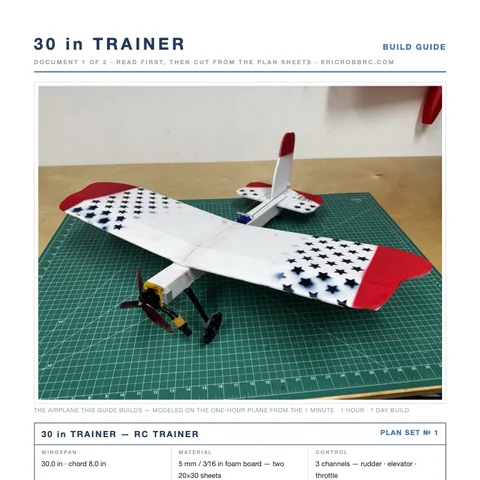 ER Sparrow Mk II Pre-Cut KitEvery foam part laser-cut and scored, the motor mount, the skewers, and the plans. Add your electronics and glue.$29.99See the kit →
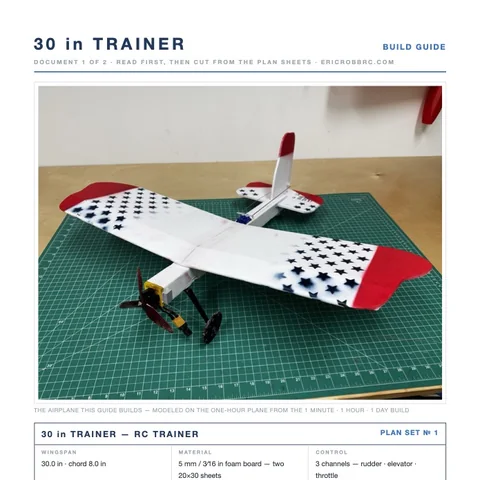 ER Sparrow Mk II PlansTrue-1:1 cutting templates and the 8-page build guide for the 30-inch one-hour trainer. Print at home or at a print shop.$8Get the plans →
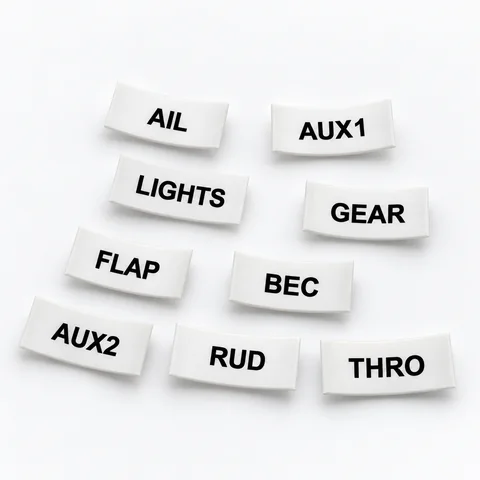 Servo Lead Heat-Shrink LabelsAIL, ELE, RUD, THRO and the rest, shrunk onto the lead so the receiver bay reads itself. Four packs.from $19.99See the label kit →
