You don't need a printer to build foam planes — but once you have one, you'll print landing gear, motor mounts, control horns, cowls, wheels, and even whole wings. Here's what actually matters for RC, the two printers I'd buy, and the one filament detail that decides whether a printed part flies or just weighs your plane down.
Last reviewed: August 2026
You do not need a 3D printer to build foam planes, but one prints motor mounts, landing-gear blocks, control horns and whole airframes. For RC parts the Bambu Lab A1 mini is the cheapest way in, the P2S is the all-round pick, and the H2D adds a laser module. Print structural parts in a lightweight filament like PLA Aero.
The short answer: most people should buy the Bambu Lab P2S (~$549) — enclosed, fast, and reliable enough to run overnight prints without babysitting, with a 256 mm bed that covers almost every RC part. On a budget, or not sure printing is your thing yet? The A1 mini (~$219) is the same just-works ecosystem in a smaller open frame. The H2D is the step-up only for full airframes or production volume — it's what I run, and below I explain why that's not the one most people should buy.
Honest answer first: for your first planes, no. A $5 sheet of foam board and a hot glue gun will teach you to fly far faster than a printer will, and a 1:1 printable plan set for a 30-inch trainer gets you to a flying airplane without a single printed part. But a printer earns its place the moment you want parts foam can't make — a real cowl, a scale fuselage, precise control horns, tough landing gear, wheels — or you want to iterate a design overnight. On the channel it printed the landing gear for the 1-day bush plane, and it's the difference between a foamie and a proper scale build. And honestly, a printer never stays an RC tool — expect it to end up making household fixes, gifts, and parts for every other hobby you have.
Printed planes aren't free strength — they need a carbon spar and they fly heavier than foam. See the honest version in I Almost Gave Up on My 3D-Printed Plane.
My shop runs a Bambu Lab H2D — it printed the 12-inch tires, bolts, and wing nuts for the 20-foot cargo plane, where parts genuinely outgrow the hobby supply chain. Before that, a Creality converted into a belt printer handled the long parts. That's exactly why my recommendation for most builders is the smaller P2S: I bought the big machine because a 20-foot airplane needed it. A 30–60 inch foam plane doesn't. Same ecosystem, same slicer, same filament — you're just not paying for a bed you won't fill.
The printer matters less than what you feed it. This is the lineup for airplane parts:
This used to be where I'd say "save up" — the cheap open-frame printers of a few years ago failed long prints and fought you on every setting. The A1 mini changed that math: it's a genuinely reliable machine at a first-printer price, running the same slicer and ecosystem as the big Bambu printers. Know its limits going in: the 180 mm bed means wing sections and large cowls are out (or heavily seamed), and the open frame makes drafty rooms and engineering filaments harder. For control horns, wheels, mounts, servo trays, and everything else on a bench — including all the non-RC stuff a household actually prints — it's a great answer. Outgrow it and the P2S is a familiar upgrade, not a restart.
Three quick answers and I’ll point at one of the three machines above.
Most RC builders: the P2S. It's fast, enclosed, reliable, and its build volume covers the vast majority of RC parts and modest wing sections. Pair it with PLA Aero for flying parts and PETG for mounts and you're set. Step up to the H2D only if you're printing full airframes, want a bigger bed and dual-material/dual-color, or you're producing parts in volume. Start with the P2S; you won't outgrow it for a long time. And if the budget says otherwise, the A1 mini gets you into the same ecosystem for around $219 — small parts now, bigger machine later.
The airplane this site is built around, as plans or cut for you, and the small parts I use on every build.
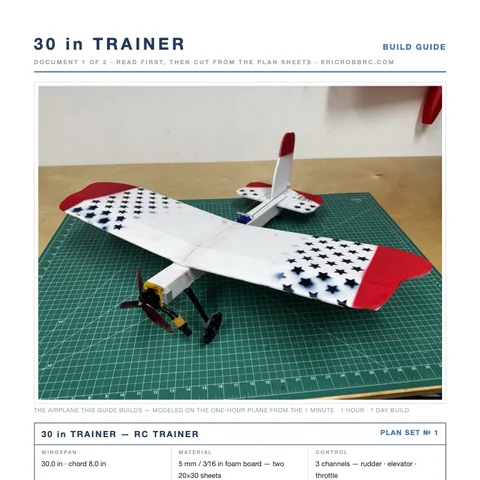 ER Sparrow Mk II Pre-Cut KitEvery foam part laser-cut and scored, the motor mount, the skewers, and the plans. Add your electronics and glue.$29.99See the kit →
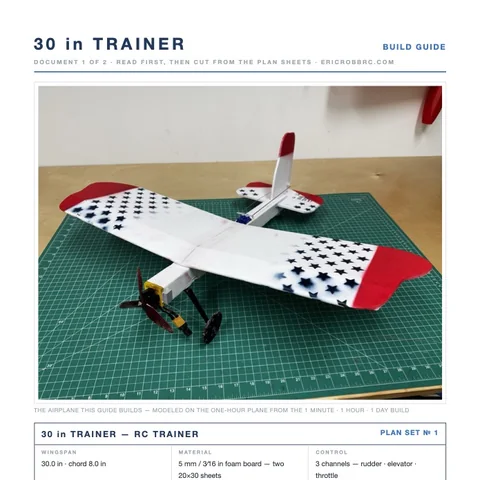 ER Sparrow Mk II PlansTrue-1:1 cutting templates and the 8-page build guide for the 30-inch one-hour trainer. Print at home or at a print shop.$8Get the plans →
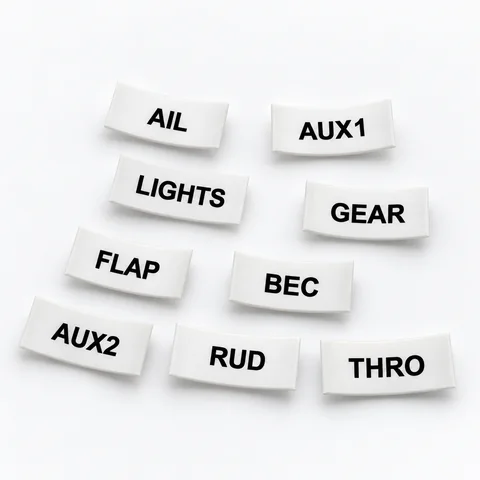 Servo Lead Heat-Shrink LabelsAIL, ELE, RUD, THRO and the rest, shrunk onto the lead so the receiver bay reads itself. Four packs.from $19.99See the label kit →
